
 Store Locator
 Order Status
 Log In
 Cart
Cart
Here's How to Install SPC Flooring
A Step-by-Step Guide
Installing SPC (Stone Plastic Composite) flooring is a cost-effective and easy way to update any room in your home. Follow this simple step-by-step guide for a professional-looking result.
What You'll Need


Steps

Step #1: Measure the Room
Start by measuring the entire room, including any closets; this will help determine how much flooring you need to purchase. Be sure to measure the length and width of each space carefully.


Step #2: Remove Existing Baseboards
It’s recommended that any existing baseboards be removed to achieve a clean, polished look. This step will allow the new flooring to sit flush against the walls.


Step #3: Prepare the Subfloor
Before installation, ensure that the surface is level, clean, and dry; this is crucial for the flooring to be installed correctly and to prevent future issues.
Tip: Allow the new flooring to acclimate to the room’s temperature and humidity for at least 48 hours before installation.


Step #4: Plan the Flooring Layout
Decide which direction you want the planks to run.
Tip: It is generally recommended that the flooring be parallel to the room's longest wall for a more natural and spacious look.

Step #5: Open Multiple Cartons of Flooring
Open several cartons of planks simultaneously to ensure a consistent look and appearance.
Tip: Mixing planks from different cartons will help avoid noticeable colour or pattern inconsistencies.

Step #6: Begin Laying the First Row
Start laying your first row from left to right. Place the first plank with the grooved edge facing you and use spacers between the wall and the plank to leave room for expansion.

Step #7: Lock the Second Plank
Place the second plank end-to-end with the first, ensuring the edges lock together. Gently fold the plank down to make sure it’s seated correctly. Continue this process across the entire row, ensuring each plank is properly closed.

Step #8: Measure the Final Plank in the First Row
Measure the length of the last plank in the first row carefully. If necessary, leave a small gap between the plank and the wall to allow for expansion. Cut the plank to fit.

Step #9: Cutting the Planks
To cut planks, use a sharp utility knife and a square to score the plank firmly along the cut line. If you need to cut holes or corners, use a jigsaw or multi-tool to make precise cuts.


Step #10: Check Straightness
After laying down a few rows, check the straightness of the planks using a string line or laser level. If the planks appear crooked, you may need to re-trim and adjust the first row to keep the installation straight.

Step #11: Install the Final Row
Measure and cut each plank for the final row to fit the remaining space. Cut along the marked line to achieve the correct width. Once the planks are in place, remove all spacers.

Step #12: Reinstall the Baseboard
After installing the flooring, reinstall the baseboard to cover the expansion gap between the floor and the wall, giving the room a finished look.

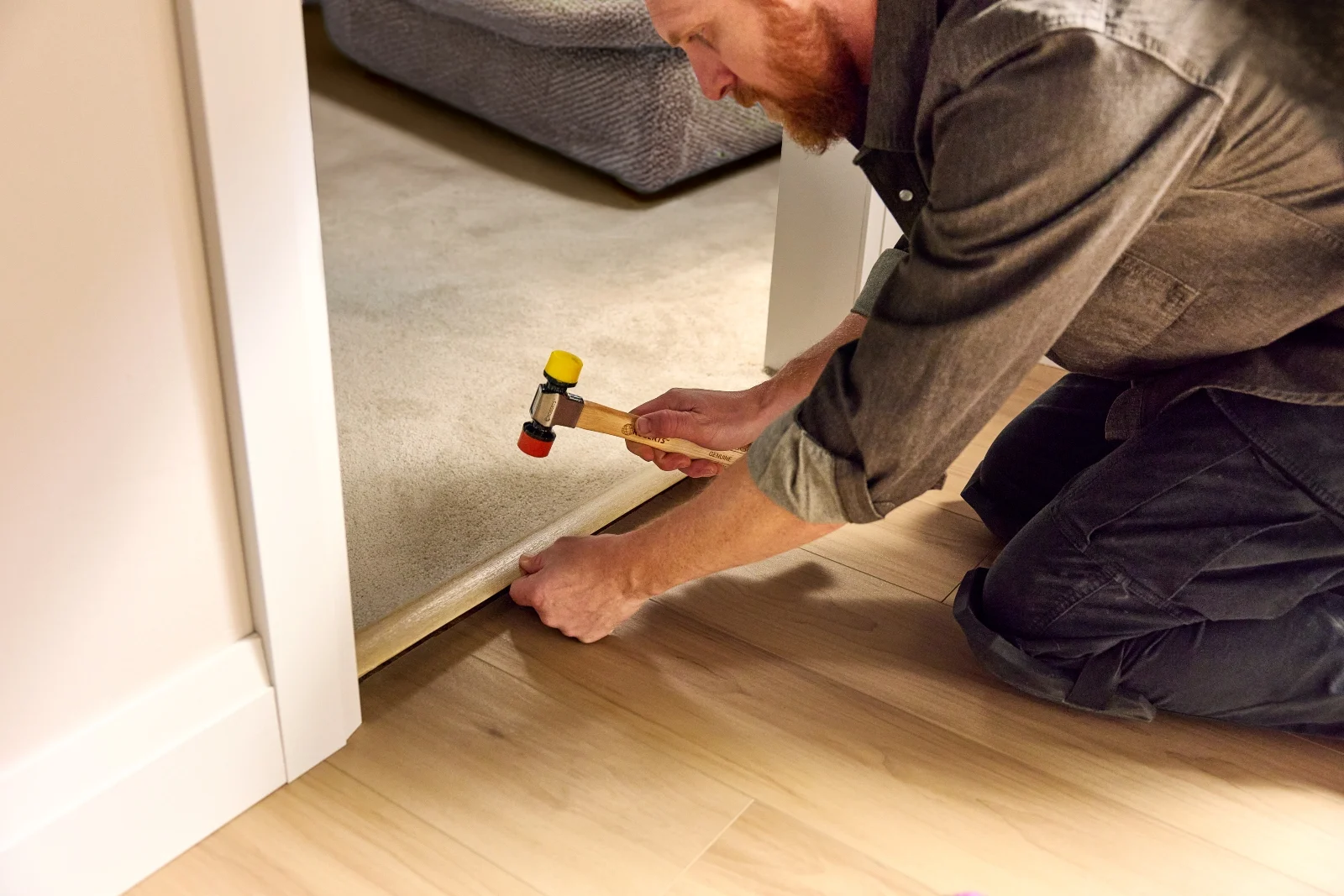
Step #13: Use T-Molding for Transitions
If your SPC flooring meets another type, use T-molding to cover the exposed edges and create a smooth transition between the two surfaces.

With the installation complete, take a moment to admire your hard work. You can now enjoy your beautiful new SPC flooring for years to come!
Following these simple steps, you can quickly and cost-effectively install SPC flooring yourself. Happy flooring!